Blooket Not Loading Today (Fix Guide).
Easily Resolve Blooket Not Loading Today (Fix Guide).
If you face the problem of “Blooket not loading today,” it is not only you; a lot of students all around the country face this type of problem. The problem is mostly “Blooket white screen” and “Blooket screen error” or the server not responding, but if you want to solve this problem, you just need to follow some points. These are some common points that are already used and faced by different students in the USA. Now I give you different points; you just need to follow these points, and after that, you avoid these types of issues by following these steps. You can fix these types of issues within 5 to 10 minutes. Let’s start to discuss first all possible difficulties or problems in detail with unique solutions related to Blooket Not Loading Today (Fix Guide).
Blooket White Screen.
Blooket Not Loading Today (Fix Guide).
Problem details.
in this error students or players open the Blooket site, but
- face just white screen
- they just see the Blooket logo but not further load the page
- The game should not start.
Real reason.
- Your browser cache should be corrupted.
- JavaScript does not work properly.
- Ad blockers interfere.
This error occurs due to these reasons, and students face different problems now. I want to discuss their solutions.
- Clear your browser cache.
- Open your incognito mode (incognito mode means that the browser does not use your old history, cache and cookies are temporarily disabled, and most extensions are off, so the website will load in a fresh way).
- you should disable ad blocker
- Use a different browser.
A white screen is a normal problem, but due to this, students face different problems like wasting time and joining late, and due to this, they can’t complete their quiz on time and don’t get the winning reward, so for this, it is very important to solve this problem in a unique and short way that is discussed in detail. Now move on to the next problem, their reason, and their solution in the next part.
frozen on the load screen
problem details,
- The gaming circle keeps spinning, but the game never starts.
Real reason.
- due to slow internet
- The WiFi is unstable.
- server overloaded
This error occurs due to these reasons, and students or players face different problems now. I want to discuss their solutions.
Real solutions.
- Check your internet connections.
- reconnect your wifi
- restart your router
- and try after 10 to 15 minutes.
This is a very simple error, but as we discussed earlier, this type of solution might be possible, and students waste their time, and if you are a player, you go to any other game platform that provides the same services, like Blooket, so it is necessary to solve all types of issues in a unique way that I discuss.
“Site Can’t Be Reached” Error
Problem details.
in this error, the browser give you a message like
- this site can’t be reached
- DNS error
- connection timeout
Real reasons.
- The school firewall is blocking it.
- DNS issues (in DNS issues there are some different steps, like ISP DNS server down, old DNS cache problem, server not found error, slow internet, game not starting.) These types of errors are found in DNS issues.
- server temporarily down
This error occurs due to these reasons, and students or players face different problems now. I want to discuss their solutions.
Real solutions.
- Use a different type of internet connection, like a mobile hotspot.
- Talk to your teacher or IT department.
- Again, check; it might be possible the issue is resolved.
This solution is for students and for other Blooket game players also. They just follow this step if they are facing this type of issue.
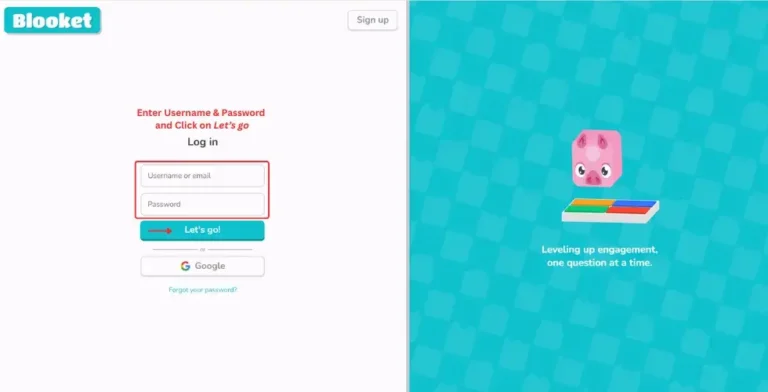
The login button didn’t work.
In this issue students click on login button, but it is not clickable
- page refresh again and again
- didn’t log in
Real reason.
- cookies disable
- browser outdated
- temporary account glitch
This error occurs due to these reasons, and students or players face different problems now. I want to discuss their solutions in a unique and simple way.
Real solutions.
- enable your cookies
- update your browser
- reset your password and try again
- Try it on any other device also
These solutions provide you a unique and powerful result. This fix was done due to Blooket needing to restore data and run the game smoothly and update the browser, because an outdated browser can cause loading and compatibility issues. These simple steps mostly resolved the issue within minutes.
Game lag/frame drop
Real Problem.
in this problem the game is working, but suddenly
- the game froze
- screen delay issue
- the points are not updated
Real reasons
- The device RAM is low
- a lot of background apps
- internet unstable
This error occurs due to these reasons, and students or players face different problems now. I want to discuss their solutions in a unique and simple way.
Real solutions.
- close extra and useless tabs
- close background apps
- restart your device
- use stable wifi
just follow this simple steps and ypu are solve your screen froze issue in a very unique and simple way, in future if you again face just increament in you device RAM, and refresh device close useless apps and background app. you fix this prblem by using these simple steps.
join button didn’t work.
Real problem.
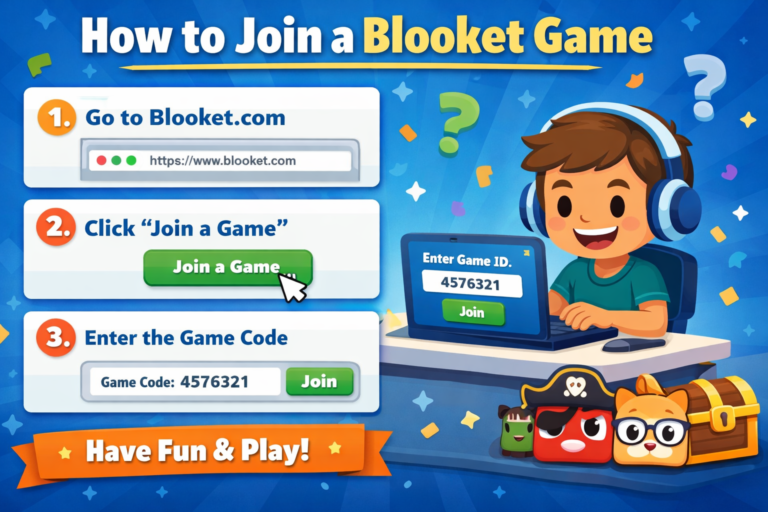
in this problem you inter your joining code and click to join but joining button didn’t work.
- joining button didn’t work
- unclickable joining button
Real reason.
- JavaScript is being blocked.
- issue in browser extension.
- temporary site issue.
Real solutions.
- Hard refresh the page (Ctrl + F5).
- disabled the extension.
- Try using Incognito mode.
After following some steps, you can join and play Blooket easily.
Final thoughts
These are all a few little and simple issues, but due to these issues, you can face a lot of difficulties, like wasting time, like when a teacher shares a Blooket joining code with you and you face different issues, so you can’t complete your quiz on time because your game mode doesn’t work properly, and as a result, you can’t receive a rewarding goal, and if you are a player, you can’t wait, and you move on to any other game platform that provides similar services. So it is very useful for students as well as for the Blooket community, also as an increment in their users, so that they can follow all steps to solve the issue they face in Blooket. Lastly, I want to discuss the issues that mostly occur in Blooket for students: “Blooket white screen,” “stuck loading,” “server down in school hours,” and “loading error.” And you solve all your issues by following this article.