
How to play Blooket? complete beginner’s guide.
How to play Blooket? complete beginner’s guide.
Blooket is a learning game where students solve their questions or quizzes and get rewards, and in the end, they solve their quiz in a gaming mode. Blooket is a platform where students solve their issues in a very unique and funny way by playing different modes, like tower defense, gold rush, etc. There are different game modes depending on the interests of students and players. Students just join and solve their quizzes and get rewards for giving the right answers. Teachers host or arrange a game for students and share game codes with students, and students join it. Teachers individually participate in the game and check all activities of every student. That one who gives the most right answers gets high rewards in the end. Students play solo and in a team. If students play the game at home and without any teacher interference, they just create an account and play Blooket independently on their device and have fun.
Play alone.
Students and players play alone/solo because it is very easy to play Blooket individually for fun and learning. Students play to solve their quiz, and players play for fun and joy and get rewards at the end of the game.
Play in a team.
If you are a student or pro player, you can join a game and enjoy your game modes as a team. In a team, there is a competition between different students and players, and your mental presence is very important. After solving all the questions, in the end, you can win different rewards as the winner.
Now the basic concern is how to create an account on Blooket. It is very easy, and the next part discusses this portion.
How to create a Blooket account?
it is very simple to create your account.
- go to your browser and search blooket.com
- you see the option to sign up on your screen
- simple click on that button and put your information
- After that you see a new tab; put in your credentials.
For the teacher.
If you are a teacher, after creating your account, you arrange a game for your students. You just share game codes with your students, and students join the game by the codes you share. It is very useful for teachers and changes the teacher quiz solution method. The teacher checks the activity of all students by hosting a game and checks the performance of all students at the end of the game.
For the students.
If you are a student, you can create your account, and you can enjoy your game individually and practice your quiz. Even if you are a player, you can enjoy the game and get rewards in the end if you give the right solutions.
These are some simple steps; you just follow these steps to create your account and enjoy your game.
How to join the game?
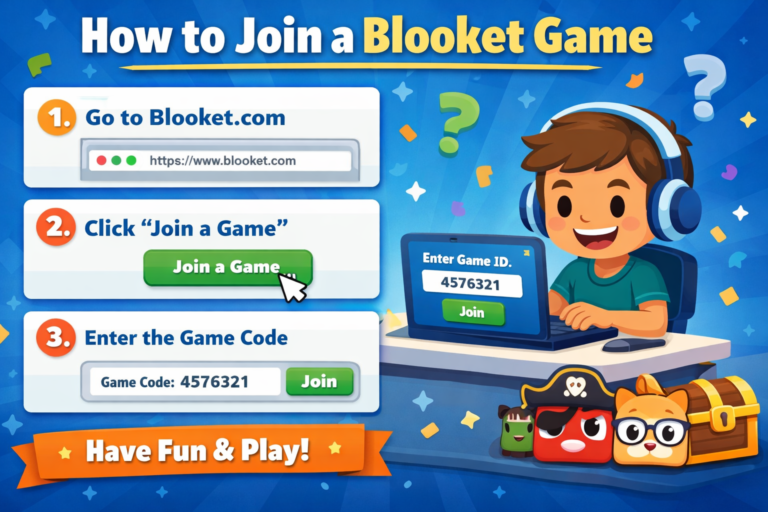
it is very easy to join a Blooket game; you just need to follow some steps like,
Game code: if you want to join a game, you need a game ID that your teacher or host provides you. A game ID means a game code. When your teacher arranges any game mode for you, Blooket provides him different game codes known as game IDs. You just received these codes; you join the game by these codes.
Play Blooket: when you receive game codes from your teacher, now you need to join the game by using these codes. Go to your browser and search play.blooket.com, and you will find a button for Play Blooket or Join Blooket. Click on this and put your game ID/code. These codes are important because you cannot enter any game without a specific code. When you click on the join button and put in your codes, now you move to the next step.
Inter nickname: After putting in your code, now you select your nickname. The nickname should be real and small, not use any funny name. If you are a student and joining by your teacher’s code, you can put your school name. If you are a player and enjoy the game, you can put your real name.
Select Blooks: Now you select any character for you. This is called “blooks“; it is just an appearance in the game, not an effect on gameplay
After these steps, now you are in the lobby and waiting to start the game. When the teacher starts the game, you check your questions and give their answers. More right answers mean more rewards in the end. If you give all the right answers, you can take the winning reward and get coins also as a winning player in every point of the game.
A common problem you face when joining a game.
Game not found.
Problems.
there is mention some problem that occur in your game like that
1. If you enter the wrong game code (even if 1 digit is missing, you will not join).
2.The host starts a new game, and you don’t have a new game code.
3.The game session is close by, teacher.
4.game session expires.
Solutions
1. Confirm your game code and copy and paste your code.
2. You get new code from your teacher.
- Refresh the page and join again.
- Open in a private tab; sometimes a cache problem occurs, so join again.
Nickname.
problems
- same name used by more than one student in the same game lobby.
- The host required a unique name in their lobby, and you don’t know about the unique name.
Solution. - change your name by adding some digits, like Jack→Jack12.
- if the teacher requires a unique name, you can get it from your teacher; otherwise, prove your unique name list as your class roll number sequence.
Time out or late joining.
problem.
1. The host turned off late joining.
Solutions.
- request to teacher to reopen the lobby
- wait for next round
- Don’t close the pages; sometime next game, it will automatically join.
Error on loading screen.
Problems
- slow internet
- school wifi firewall block or hacked
- your browser cashe error
Solutions.
1. Change your interncacheet - browser refresh
- use Chrome/an old browser create a problem.
- clear cache
You do not show your quiz or questions.
Problems
- javascript blocked
- ad blocker interferes
- you minimize the tab.
Solutions - off adblocker
- Zoom to page 100%
- change browser and use on the laptop; sometimes issues occur in mobile
Remove from the game.
Problems.
- teacher manually remove you from the game.
- duplicate name
- internet disconnect
- suspicious activity
Solutions. - use stable internet
- not use same nickname again
- request teacher allow to rejoin you in the game.
Can’t type any answer.
Problems
- your phone RAM is full
- heavy background apps
- old device
Solutions. - close background apps
- restart your device
- use lite browser and use laptop is best option
In short, 80% of the problem in joining a game is due to internet problems, expired code , late joining, if you fix these and solve these problems, you can join the game easily without any problems.
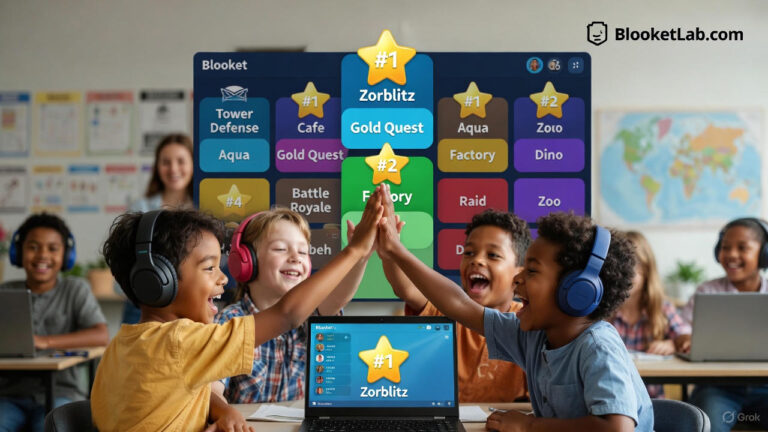

My relatives every time say that I am wasting my time here at net,
however I know I am getting know-how all the time by reading such pleasant articles or reviews.
Thank you so much for sharing this! 😊
You’re definitely not wasting your time; learning online can be really valuable when you’re reading helpful articles and gaining new skills. I’m glad you found the post useful, and I hope it continues to help you learn something new each time you visit!